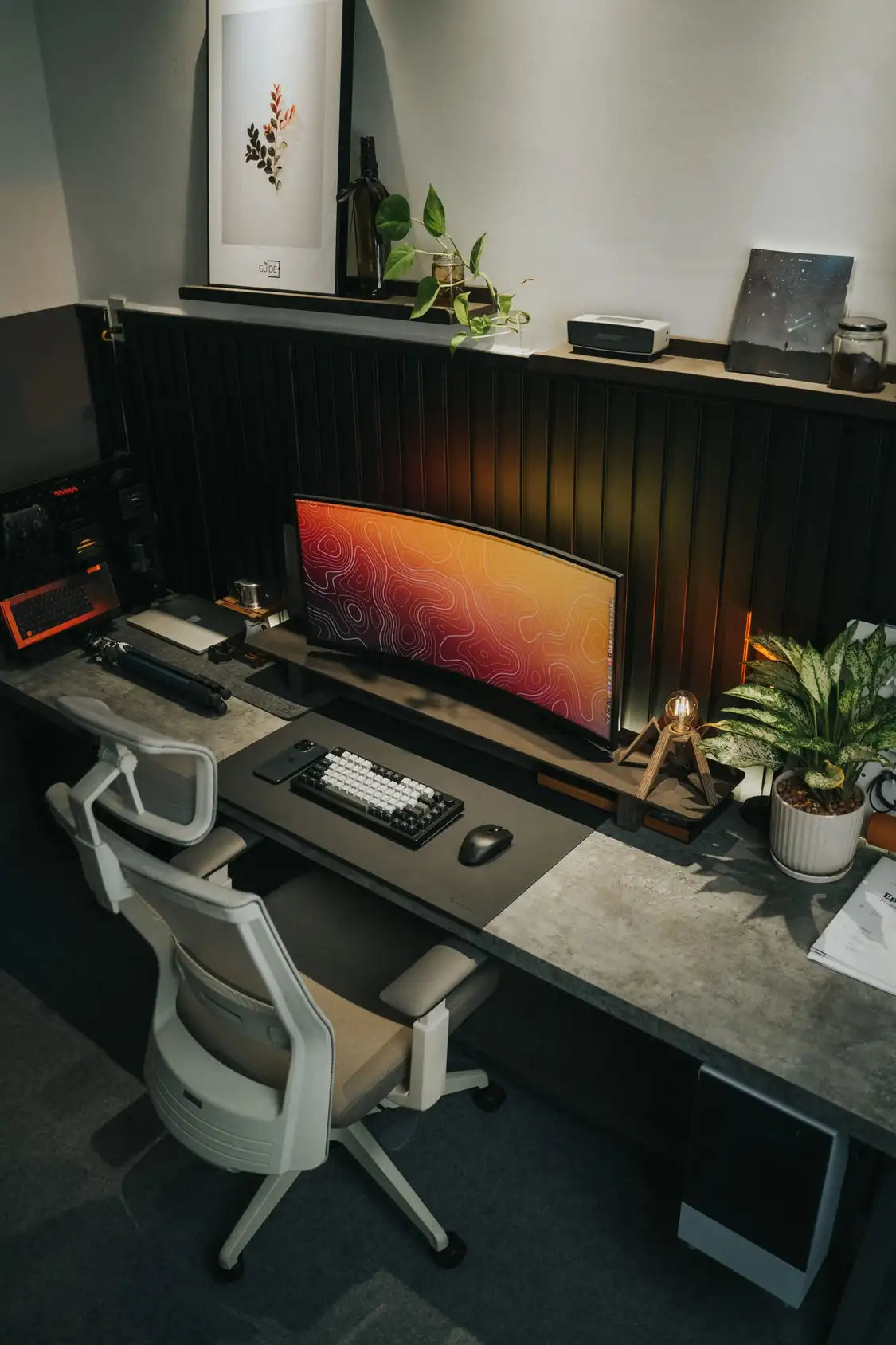
Set up a home office desk by starting with the chair, then setting the desk to your elbow height and the screen to eye level. Put the screen about an arm’s length away, keep your feet flat on the floor, and add a keyboard and mouse if you use a laptop. Finish with light from the side and tidy cables.
Working from home is now a normal part of working life in the UK. In January 2026 the Health and Safety Executive noted that 38% of workers in Great Britain were working remotely or in a hybrid arrangement, yet most home desks were never planned at all. They grew from a kitchen table, a spare bedroom corner, or a laptop balanced on a pile of books. That is fine for a day. For months of full working days it is not, because a desk that is the wrong height or a screen that sits too low will ache by Friday, and the ache will come back every Monday.
This guide sets up a home office desk in the right order, with UK sizes in centimetres and the UK Health and Safety Executive guidance for screen work. You do not need to buy everything at once. Most of the fixes cost nothing, and the one purchase that matters most is the chair.
Start with the chair, not the desk
The most common mistake is buying a desk first. Do not. The chair is the foundation of the workstation, and everything else is set to fit it. A good chair has four things: adjustable seat height, adjustable lumbar support, a seat pan deep enough to support your thighs without pressing behind your knees, and armrests you can move out of the way.
Sit in the chair and adjust it before you touch anything else. Raise or lower the seat until your feet rest flat on the floor and your thighs sit parallel to the floor, with your knees at about 90 degrees. There should be a gap of 2 to 3 cm between the front edge of the seat and the back of your knee. If your feet dangle, the chair is too high, and you need a footrest or a small stack of sturdy books. If your lower back has no support, the chair backrest is wrong for you, and a rolled towel or a small cushion will do the job until you replace the chair.
Armrests should sit level with your resting elbows, with your shoulders relaxed and not raised toward your ears. If the armrests stop you getting close enough to the desk, take them off or swing them out of the way. A chair that keeps you at arm’s length from your own desk is working against you.
You do not need to spend a fortune. Plenty of solid ergonomic chairs cost under 100 pounds, and a second hand office chair from a local seller is often better than a new cheap one. Spend on the chair first, because it is the piece you set everything else to, and it is the piece your back will notice most.
How high should a desk be?
There is no single correct desk height, because it depends on your body. The right height is your resting elbow height when you sit in your chair with your shoulders relaxed. Sit down, let your arms hang, bend your elbows to about 90 degrees, and measure from the floor to your elbows. For most people that lands between 61 and 76 cm (24 to 30 inches). The standard fixed desk height of about 75 cm is too high for most people, which is why so many home workers type with their shoulders raised and their wrists bent.
If your desk is height adjustable, set it to your elbow height and you are done. If it is fixed and too high, raise your chair until your elbows sit level with the desk, then add a footrest so your feet stay flat. If it is fixed and too low, raise the desk on sturdy blocks or bed risers. Do not work with your wrists bent up to reach a keyboard that sits too high, because that bent wrist position puts pressure on the carpal tunnel and will ache by the end of the day.
Under the desk, keep the space clear. Your legs need room: a useful clearance guide is 52 cm wide, 44 cm deep at knee level and 60 cm deep at foot level. Do not store boxes, a printer, or a bag under the desk, because they shrink the space your legs need and push you into a twisted sitting position.
What size desk do you need?
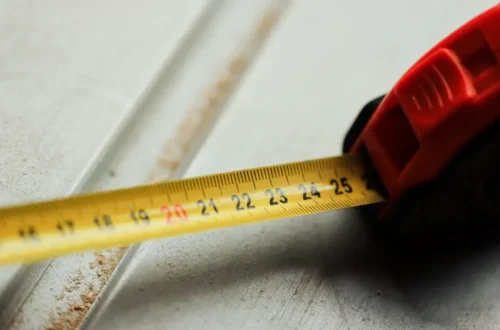
Desk size is about what sits on it, not about the room. A laptop alone needs very little. A laptop plus a monitor needs more. Two monitors need more again. Measure what goes on the desk before you buy it, and measure the room too. Our guide to measuring your room for furniture walks through the tape measure steps so the desk fits the first time.
| Setup | Width | Depth | Notes |
|---|---|---|---|
| Laptop only | 100 cm | 50 cm | Enough for a laptop, a notebook and a mug. Tight for a second screen. |
| Laptop plus one monitor | 120 cm | 60 cm | The standard home office size. A 120 cm desk takes one monitor and a laptop, and 60 cm deep usually leaves room for the keyboard in front. |
| Two monitors | 140 cm | 60 cm | Room for both screens and a keyboard without crowding. Needs a clear wall run. |
| Corner desk | 120 cm each side | 60 cm | Uses a spare corner well. Good for two screens in a small room. |
A desk at least 60 cm deep matters more than width. A shallow desk pushes the screen too close to your face, and there is no room for your wrists in front of the keyboard. If you are choosing between a wider desk and a deeper one, take the deeper one.
Where should the screen go?
The screen is the second thing to set, after the chair. Put it straight in front of you, directly behind the keyboard, so you do not twist your neck or your back to see it. The top of the screen should sit at or just below eye level, so you look straight ahead or very slightly down. If you look down at your screen all day, your neck will tell you about it by the evening.
Distance matters as much as height. Place the screen about an arm’s length away, 50 to 65 cm from your eyes. Closer than 50 cm and your eyes work too hard. Further than 65 cm and you will lean forward to read, which rounds your shoulders. A 24 to 27 inch screen at arm’s length suits most people for everyday work, and a monitor arm sets both the height and the distance while freeing desk space.
If you use two screens, put the one you use most straight in front of you and the second to one side, angled slightly toward you. Do not put one screen on each side and twist between them all day. If you work from a laptop as a second screen, raise it to the side as a glance screen, or close it and use the monitor alone.
The 90-degree check
Once the chair, desk and screen are set, run this quick check. It takes one minute and it catches most setup mistakes.
| Body part | Correct position | Fix if it is wrong |
|---|---|---|
| Feet | Flat on the floor | Lower the chair, or add a footrest |
| Knees | About 90 degrees, level with hips | Raise or lower the seat until thighs are parallel to the floor |
| Elbows | About 90 degrees, close to your body | Set the desk to elbow height, or raise the chair if the desk is fixed |
| Wrists | Straight, level with forearms | Lower the keyboard, or add a wrist rest |
| Screen | Top at eye level, 50 to 65 cm away | Raise the screen on a stand or a stack of books |
| Lower back | Supported by the chair back | Adjust lumbar support, or add a rolled towel |
If one check fails, fix that one thing and check again. Do not try to fix everything at once, because one change moves the rest. Chair first, then desk, then screen, then keyboard, in that order.
What if you only have a laptop?
A laptop on its own is the worst home office setup, because the screen and the keyboard are joined together. If the keyboard sits at a comfortable height, the screen sits far too low, and you spend the day looking down. If the screen sits at eye level, the keyboard is too high to type on. You cannot fix both at once without extra kit.
The fix is a laptop stand plus a separate keyboard and mouse. The stand lifts the screen by about 15 cm, which brings the top of the screen close to eye level, and the separate keyboard sits on the desk at elbow height where your hands want it. A basic stand costs very little, and a keyboard and mouse set is the highest value purchase in any home office. This is also the setup the Health and Safety Executive recommends for laptop use over long periods: a separate keyboard and mouse, with the laptop raised on a riser.
Keep the keyboard clean too, because crumbs and dust under the keys make typing worse over time. Our guide to cleaning your laptop keyboard shows how to clear it without damaging the keys.
If you can add one more thing, make it an external monitor. A 24 inch monitor at arm’s length is easier on your eyes than any laptop screen, and it turns the laptop into a second screen or lets you close it altogether. A monitor arm under 25 pounds holds it at the right height and frees the desk underneath.
How do you light a home office desk?
Light is the single biggest factor in whether a home office feels good to work in, and it costs nothing to get right. Put the desk side-on to a window if you can, so daylight falls across the screen rather than on it or straight behind it. A window directly in front of you puts glare on the screen. A window directly behind you puts glare on the screen from the other side and turns you into a silhouette on video calls.
If the screen glares, find where the reflection comes from. The Health and Safety Executive workstation checklist suggests holding a mirror in front of the screen to see what reflects in it, then moving the screen or the desk, or shielding the screen. Blinds or a sheer curtain will soften strong daylight without blocking it.
For dark mornings and evenings, add a desk lamp with a warm bulb, placed to the side of the monitor and angled toward your work surface, away from the screen. One bright overhead light on its own is tiring, because it lights the whole room evenly and leaves the desk in flat light. A lamp to the side gives the desk its own pool of light, and it puts light on your face for video calls.
How do you keep cables tidy?
A tangle of cables is not just ugly. It stops you adjusting the setup, cleaning the desk, or plugging in a device, because every change means fighting the tangle first. Sort the cables once, properly, and the desk stays usable.
Start with the power strip. Mount it under the desk surface first, so every device routes down to it and one cord travels to the wall. Measure each cable run and add 15 to 20 cm of slack, so the desk can move without pulling a plug out. Bundle cables that run in the same direction with velcro straps, mount a cable tray under the desk, then route the wall cord through a floor clip.
Keep the cables you touch every day on the desk, and the rest underneath it. A charging spot with one cable for everything, a USB-C dock or hub that connects the laptop to the monitor, keyboard and mouse, means you plug in once in the morning and unplug once at night. Label the plugs at the strip if you share the desk or the room, so nobody unplugs the router by mistake.
How do you fit a desk in a small room?
Small UK rooms are the hardest part of a home office, because the desk competes with the bed, the sofa and the kitchen for the same floor. The order of decisions matters more than any product. Measure first, pick the spot, size the desk and chair to it, then move storage up the wall. Lighting, power and noise come after.
A wall-mounted fold-down desk is the best answer for a very small room. It folds flat against the wall when you finish, and the chair tucks away with it. A corner desk uses a spare corner that would otherwise hold nothing, and it gives you two runs of desk for two screens. A desk in the bedroom works if you can mark where work ends and home begins, with a divider, a screen, or simply by closing the laptop and putting the kit away at the end of the day. Our guide to a stress-free bedroom retreat for better sleep covers how to keep a bedroom calm when it doubles as an office.
| Layout | Best for | What it needs |
|---|---|---|
| Wall-mounted fold-down desk | Tiny rooms, spare corners | A solid wall, a folding bracket, a chair that tucks away |
| Corner desk | Spare corners, two screens | 120 cm each side, a chair that turns freely |
| Desk in the bedroom | One-room flats, spare rooms | A divider or screen, and a clear end to the working day |
| Kitchen table | Temporary setups | A laptop stand, and a box for the kit at the end of the day |
| Standing at a counter | Short bursts, calls | A laptop stand or a stack of books, and a chair nearby |
Storage goes up the wall, not under the desk, because under the desk is where your legs go. A shelf above the desk holds books and files, and a drawer unit beside it holds the rest. Keep only what you use every day on the desk itself. Everything else lives in a drawer, a box or a shelf, out of sight but within reach.
Noise matters too, especially in a flat. Noise-cancelling headphones or simple earplugs will carry you through focused work, and a closed door is worth more than any gadget. If the room is shared, agree the working hours with the rest of the household, so the desk is yours during the day and the room is everyone’s in the evening.
What does the UK HSE say about home workstations?
The Health and Safety Executive is the UK regulator for workplace health and safety, and its Display Screen Equipment Regulations can apply to people who work at home. The rules cover employees who work at home on a permanent or long-term basis, and people who routinely split their time between home and the office, if they use a screen daily for continuous periods of an hour or more.
Where the rules apply, the employer must assess the workstation, and the assessment should cover the home setup as well as the office one. You may be able to do the assessment yourself with suitable training. If you ask, the employer must arrange and pay for an eye test, and pay for glasses if you need special ones just for screen work. If the assessment says you need a piece of equipment, you cannot be charged for it.
The HSE publishes a practical workstation checklist that employers use for a simple assessment. Its good posture points are the same ones in this guide: top of the screen level with your eyes and about an arm’s length away, keyboard just below elbow height, mouse in line with your elbow, seat height supporting the front and back of your thighs equally, a 2 to 3 cm gap behind your knees, lower back supported, and screen and keyboard straight in front of you so you do not twist.
The HSE also recommends short, frequent breaks rather than long, infrequent ones, five minutes every hour as a minimum. Stand up, stretch, walk to another room, and look at something further away than your screen. A break is not lost time. It is what keeps the setup working for the whole day.
If you are self-employed, the regulations do not apply to you in the same way, but the posture points still do. Your back does not care who employs you.
How do you rebuild your desk in 15 minutes?
You do not need a weekend to fix a bad desk. Fifteen minutes, in this order, will fix most of it.
First, clear the desk completely and take everything off it. Second, set the chair: feet flat, thighs parallel, lower back supported, 2 to 3 cm gap behind your knees. Third, set the desk to your elbow height, or raise the chair and add a footrest if the desk is fixed. Fourth, raise the screen so the top sits at eye level and about an arm’s length away, using a stand, a monitor arm, or a stack of books. Fifth, put the keyboard and mouse on the desk at elbow height, with your wrists straight. Sixth, move the desk side-on to the window if you can, and put a lamp to the side of the screen. Seventh, bundle the cables under the desk and mount the power strip. Eighth, put back only what you use every day, and put the rest in a drawer.
Run the 90-degree check from earlier in this guide. If it passes, you are done. If one check fails, fix that one thing and check again. Then stand up, stretch, and get back to work. The desk should now fit you, rather than you fitting the desk.
For more home guides, see our home-improvement section.
Frequently asked questions
What is the best height for a home office desk?
There is no single number, because it depends on your body. The right height is your resting elbow height when you sit in your chair with your shoulders relaxed, which for most people lands between 61 and 76 cm from the floor. A standard fixed desk at about 75 cm is too high for many people. If your desk is fixed, raise your chair until your elbows sit level with the desk, then add a footrest so your feet stay flat.
What size desk do I need for a home office?
A 120 by 60 cm desk suits most people, because it takes one monitor and a laptop with room for the keyboard in front. A laptop alone fits on a 100 by 50 cm desk. Two monitors need about 140 cm of width. Depth matters more than width: a desk at least 60 cm deep keeps the screen at a healthy distance and leaves room for your wrists.
Do I need a separate monitor, or is a laptop enough?
A laptop alone is enough for short sessions, but not for full working days, because the screen sits too low and you look down all day. A laptop stand plus a separate keyboard and mouse fixes the worst of it, and the stand lifts the screen by about 15 cm. A separate monitor is the better long-term buy: a 24 to 27 inch screen at arm’s length is easier on your eyes and your neck.
Where should I put my desk in a small room?
Put it side-on to a window, with your back to a wall, and keep the bed out of camera view. Measure the room first, then choose between a wall-mounted fold-down desk, a corner desk, or a desk in the bedroom with a clear end to the working day. Storage goes up the wall on shelves, not under the desk, because your legs need that space.
How often should I take a break from my desk?
Take a short break every hour, five minutes as a minimum, following the Health and Safety Executive guidance. Stand up, stretch, walk to another room, and look at something further away than your screen. Short, frequent breaks work better than one long break, and they keep your posture from slipping as the day goes on.
Does my employer have to assess my home workstation?
The Display Screen Equipment Regulations can apply if you work from home long-term or split your time between home and the office, and you use a screen daily for continuous periods of an hour or more. Where they apply, your employer must assess your workstation, including the home setup. If you ask, they must arrange and pay for an eye test, and pay for glasses if you need special ones just for screen work.